


















 Customer Dispute Resolution Page
 Help Center
 Affiliate Program
How to Withdraw - WPT Global
As part of our commitment to provide a truly superior service, WPT Global makes every effort to ensure that your withdrawal request is processed as quickly and efficiently as possible.




As part of our commitment to provide a truly superior service, WPT Global makes every effort to ensure that your withdrawal request is processed as quickly and efficiently as possible.



 Desktop
 Mobile
To withdraw your winnings from your account on desktop, please follow the steps below:
Open the WPT Global App and log in by entering your username and password.
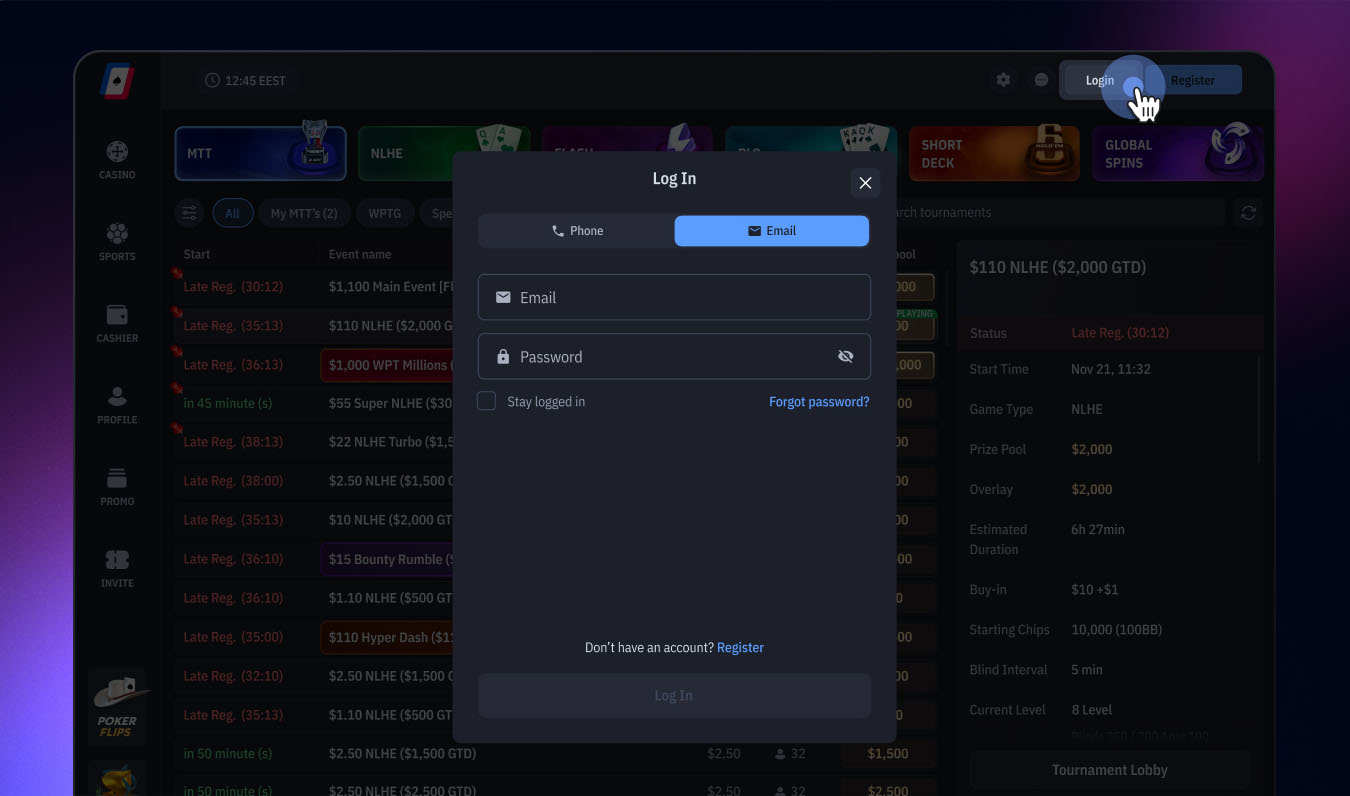
Open the WPT Global App and log in by entering your username and password.
Go to the Cashier section in the main menu on the left side.
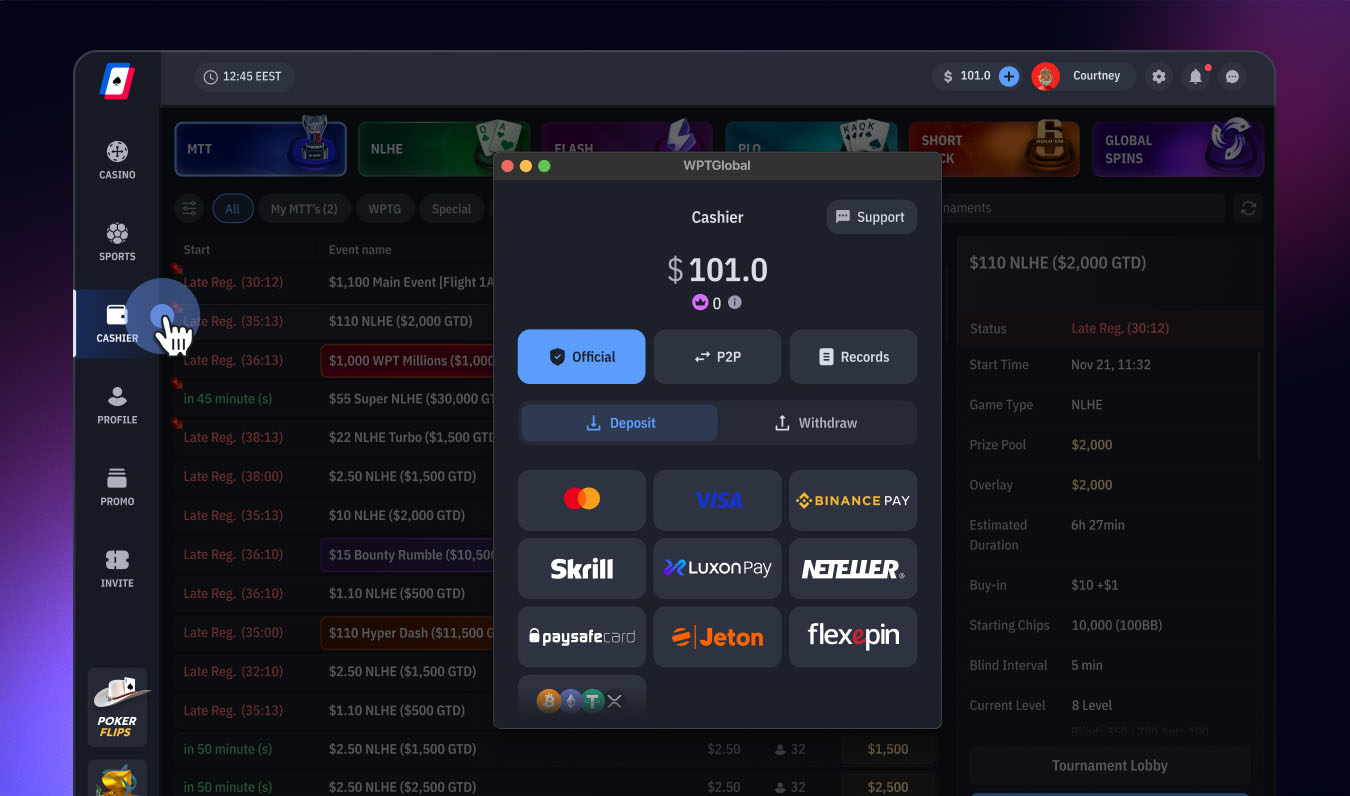
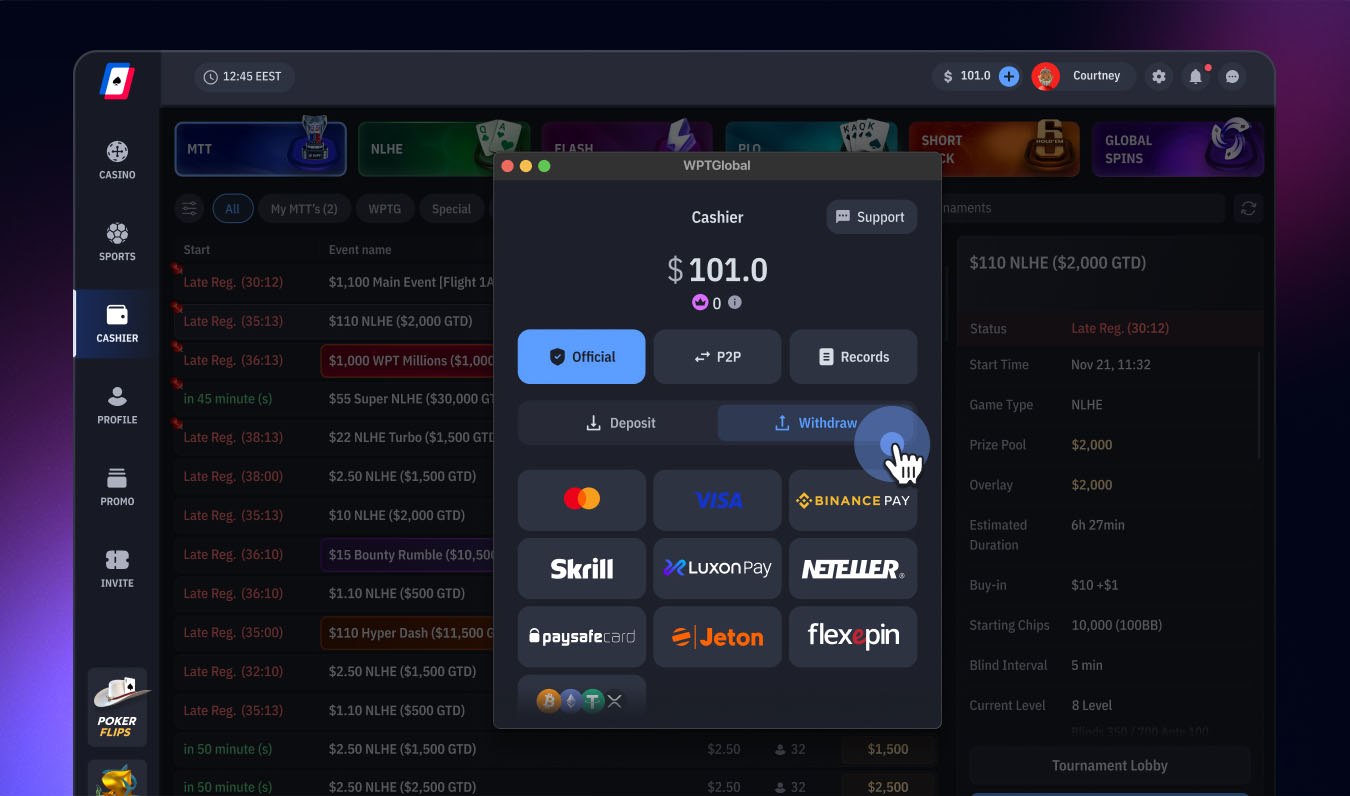
In the Cashier section, click on Withdraw.
Choose one of the available Payment Methods and enter the amount you would like to withdraw.
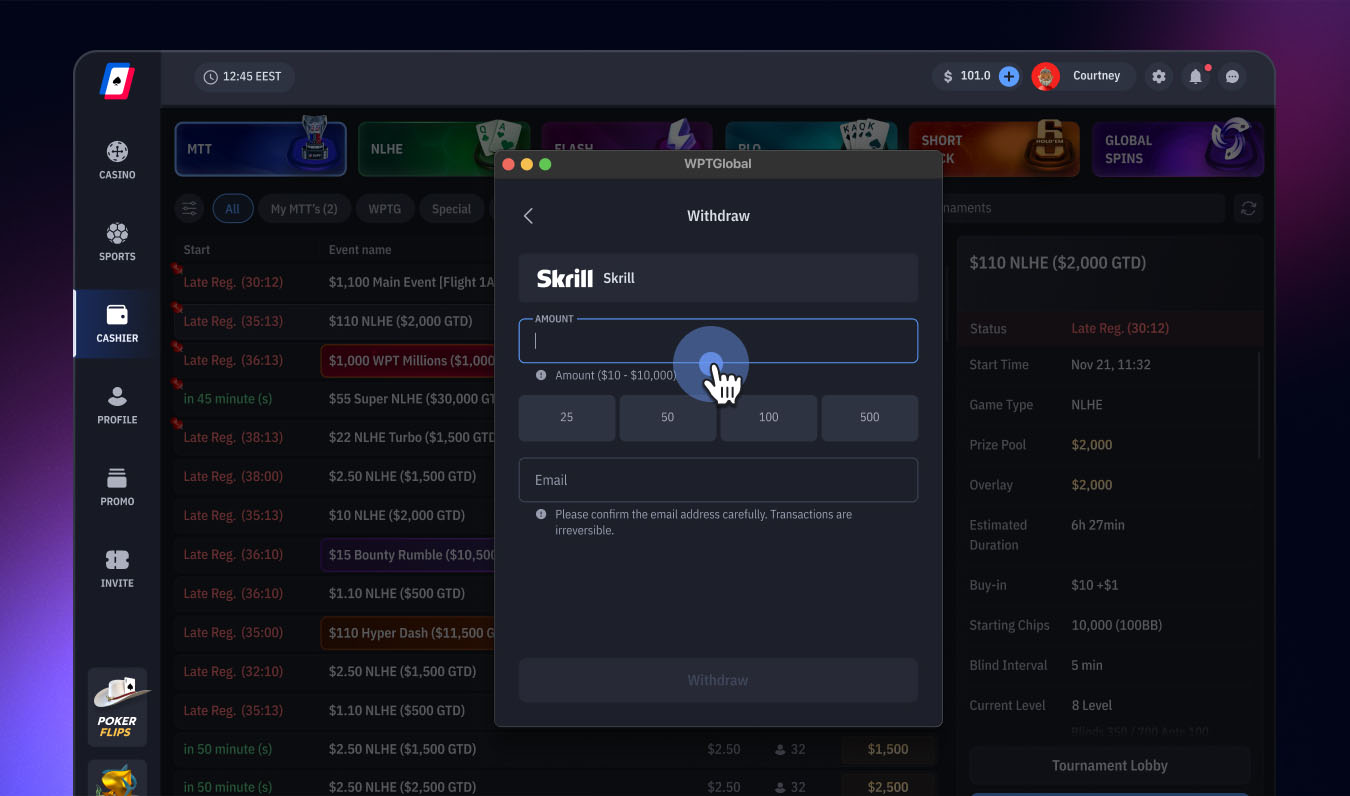
Request Withdrawal.
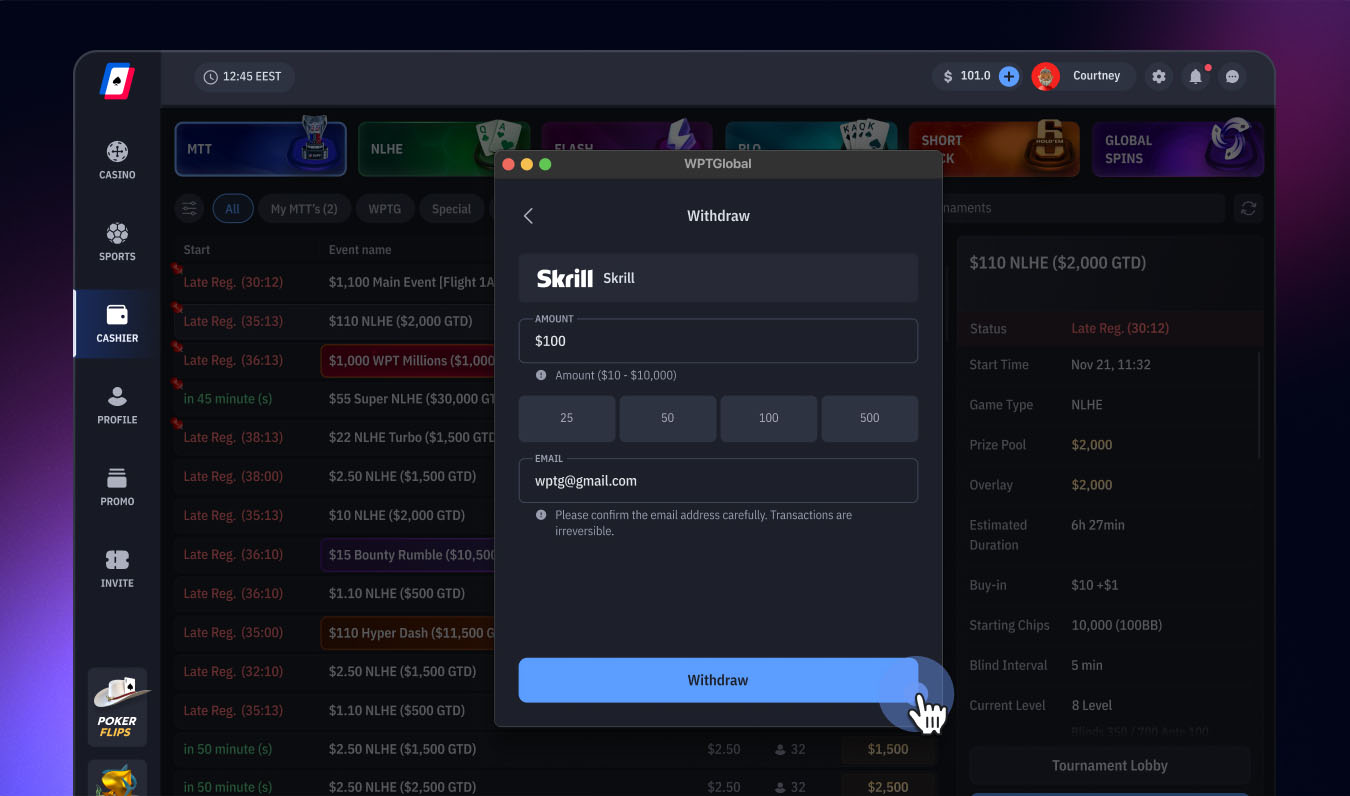
Once you have requested your withdrawal, your money will typically reach you within 12 hours or less.
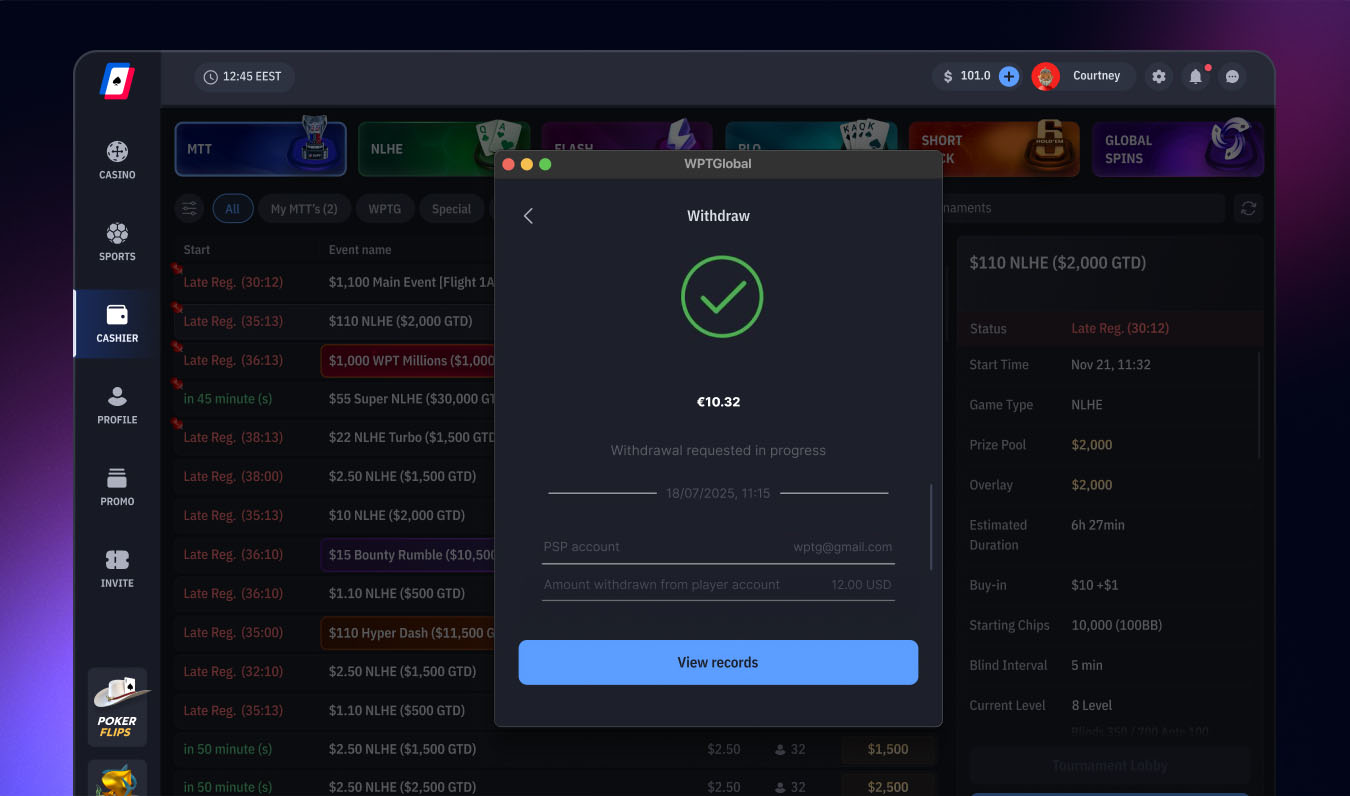

WPT Global does not charge any withdrawal fees.
You can track the status of all deposit/withdrawal transactions by checking the 'Record' section in the 'Cashier'.
The minimum withdrawal amount at WPT Global is $10 in most regions.
If the WPT Global team has any additional instructions regarding your withdrawal, we will contact you within 12 hours via your registered email.
Withdrawals may be rejected if they are requested using a different method than the one used for the deposit. In such cases, the WPT Global team will advise you to withdraw using the correct payment method.
As a licensed operator that complies with legal and regulatory requirements, WPT Global must verify the identity of its players. Therefore, we require certain documents to verify your player account.
For more information about our withdrawal policy, please see the WPT Global withdrawal policy or contact our support team via chat or email.




 Local Payment Methods
 Cards
Cards Crypto
 E-Wallets
 Apple Pay
 Google Pay
 Instant Bank Payments
Some methods may not be available in your region. Please contact support if you experience any issues.